How to Check Whether a Social Media Profile Is Real
Last updated: October 21, 2026
Quick Answer: In 5 minutes, you can usually tell whether a social media profile is real by checking 5 things: the photo, the history, the followers, the bio, and the connections. This guide to How to Check Whether a Social Media Profile Is Real uses those same 5 checks across Instagram, Facebook, X, and LinkedIn.
A social media profile is real when its photos, history, connections, and posting pattern all point to one consistent person or organization. The fastest check is usually not one clue; it is whether the profile holds together across a few minutes of inspection.
Key takeaways
- Real profiles usually leave a trail: older posts, tagged photos, replies, and a network that looks lived-in.
- Fake or borrowed profiles often break under basic checks like reverse image search, bio mismatch, and odd follower patterns.
- One clue is never enough. A polished account can still be fake, and a messy account can still be real.
- Instagram, Facebook, X, and LinkedIn all reveal different signals, so check the platform the profile actually uses most.
- If the account is asking for money, access, or personal details, slow down and verify more than once.
Start with the profile photo and reverse image search
The profile photo is the quickest place to catch a borrowed identity. Save the main photo and run a reverse image search in Google Images, Bing Visual Search, or TinEye; if the same picture appears on a stock site, a model portfolio, or a different name entirely, that is a strong warning sign. A clean result does not prove the profile is real, but a reused face is hard to explain away.
Look at the photo itself before you search. A single crisp headshot with no other images attached is common on fake accounts, especially on Instagram and X. Real people usually leave more than one visual trace: profile picture changes, tagged photos, story highlights, group shots, or old images with different lighting and camera quality. On LinkedIn, a profile photo that looks overly polished while the rest of the page is bare deserves extra skepticism.
A profile image can also look “real” while still being stolen from someone else’s public account. That is why reverse image search matters more than your gut. If the result shows the face on Facebook under another name, or on a company site tied to a different role, the account may be impersonating somebody. If the result is blank, keep going rather than assuming it is authentic.
One limitation: a reverse image search will miss original photos and newer AI-generated images. That is why this is only step one, not the verdict.
Check the account history before you trust the surface
The account history should look like a person’s timeline, not a page that appeared fully formed last week. Open the oldest visible posts, scroll through the feed, and look for signs of age: older captions, comments from real contacts, changes in tone over time, and posts that reflect normal life rather than a single theme. On Facebook, the “About” area, past profile changes, and older timeline posts often show whether the account has been used for years or assembled quickly. On X, check how far back the tweets go and whether the account has a believable rhythm. On Instagram, look for archived-looking gaps, sudden bursts of posting, or a feed built from only a handful of recent uploads.
A real account often has a mixed history. The posts may be uneven, ordinary, and sometimes boring. That is a good sign. Fake profiles tend to look too curated or too shallow: 12 photos posted in 3 days, then silence; or a long-empty page suddenly active again with no transition. A profile that claims to be local, professional, or long-established should usually show evidence across months, not just a week.
Read the captions as if you are checking for continuity. Do the names, places, job details, and relationships line up over time? If one post says the person lives in London and another says they are “back home in Toronto,” that may be fine, or it may be a clue that the account is stitched together from fragments.
The limitation here is obvious: privacy settings can hide a real history. A locked account can still be genuine. But if the visible history is thin and the profile is asking you to trust it immediately, treat that gap as part of the risk and consult a professional if the stakes are high.
How do follower patterns show a fake profile?
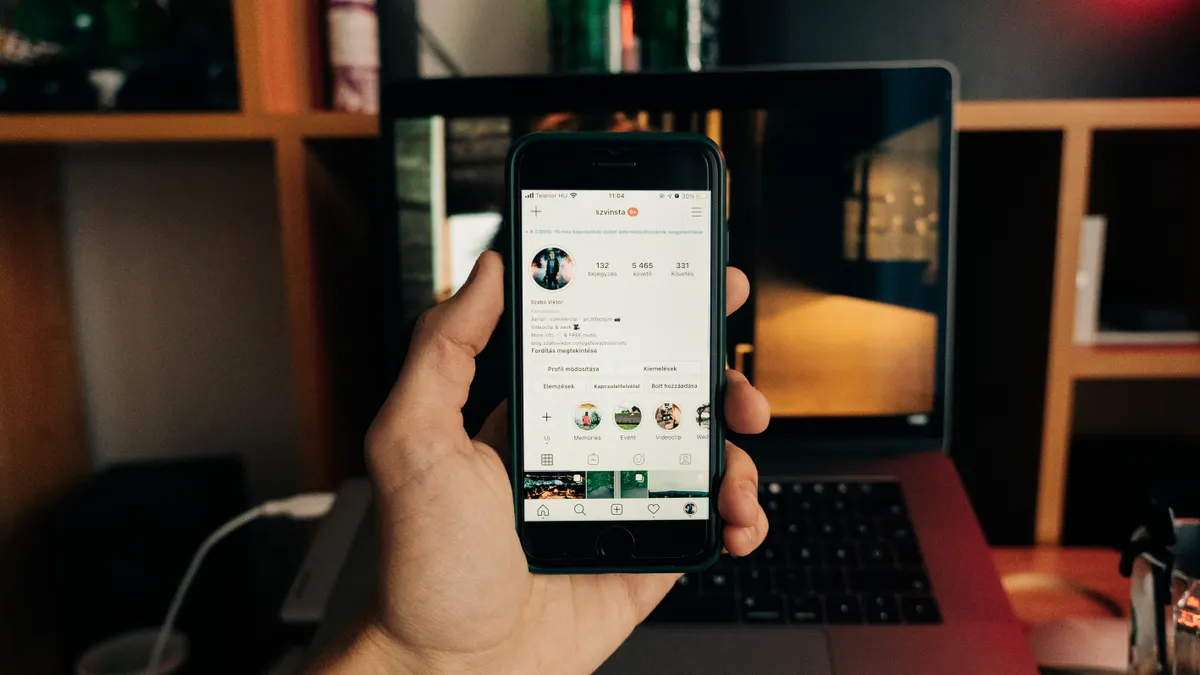
Follower patterns often show fake profiles faster than the bio does. Open the follower and following counts, then inspect a sample of the accounts on each side; if the profile has 8,000 followers but only 14 posts and a stream of accounts with no photos, repeated usernames, or generic bios, the network is likely inflated or purchased. You are not looking for perfection. You are looking for a normal shape.
On Instagram, a healthy account usually has a messy mix of followers: friends, coworkers, local businesses, family names, and regular commenters. On Facebook, mutual friends and long-standing groups can make the network easier to judge. On LinkedIn, endorsements and connections matter less than whether the names look relevant and connected to the person’s work history; a profile with 500 connections but only a few recognizable, relevant contacts can still be real, yet a pile of disconnected names with no shared work history is weak evidence.
The comments matter too. Real accounts get replies that fit the person or organization: inside jokes, references to shared events, or responses that continue a conversation. Fake engagement tends to be shallow and repetitive: “Nice pic,” “Great post,” emoji-only replies, or a flood of comments arriving in a tight cluster. That pattern does not prove fraud, but it often appears when an account is buying attention.
A common mistake is trusting a large follower count as if it were proof. It is not. Followers can be bought, borrowed, or left behind from an old identity. What matters is whether the audience looks human and connected. If the follower list looks like a warehouse of blank profiles, the number is decoration. For platform guidance, see Meta’s help pages on fake accounts and Instagram safety tips, and X’s guidance on spam and platform manipulation. Facebook Help Center, Instagram Help Center, X Help Center
Read the bio for inconsistencies, not just red flags
A bio that contradicts the rest of the profile is more useful than one that merely sounds suspicious. Read the name, job title, location, website, pronouns, contact details, and any claims about school, employer, or niche. Then compare them with the posts, tagged content, and comments. If the bio says “New York-based photographer” but the feed has no location clues, no client work, and no tags from other people, the profile needs more proof.
LinkedIn is the easiest place to check this because job history is supposed to line up with the profile. A real profile normally shows a sensible sequence of roles, dates, schools, and recommendations. A suspicious one may stack titles without detail, repeat the same company in different ways, or use vague wording that avoids anything verifiable. On Facebook and Instagram, the bio is usually thinner, so contradictions show up in the captions instead. If a person claims to run a bakery, look for product shots, opening hours, customer tags, or local references. If none exist, the bio may be a costume.
Watch for language that feels copied. Bios full of clichés, random emojis, or the same pitch repeated across platforms often come from a template. Real people borrow phrases too, but they rarely sound identical on Instagram, Facebook, X, and LinkedIn. Consistency is good; carbon-copy wording is not.
The trap here is overreading typos. A spelling mistake does not make a profile fake. What matters is whether the bio, the content, and the visible network all describe the same person or business. If they do not, you have found a real inconsistency, not just a sloppy one. For a wider identity check, compare the profile with a company page, a directory listing, or an official website. See FTC guidance on online scams and identity verification basics in the FBI’s internet safety resources. FTC Consumer Advice, FBI Scams and Safety
Use mutual connections and shared context the right way
Mutual connections help most when they confirm a relationship you can already see elsewhere. On Facebook and LinkedIn, shared contacts can tell you whether the profile exists in a genuine network or just claims one. A real profile often overlaps with people, groups, schools, employers, or local communities you can recognize. If the mutuals are all strangers, or the “friend” list includes many profiles with no posts and no history, treat that as weak support rather than proof, and consult a professional if you need a high-confidence answer.
Check whether those mutual connections are active and coherent. Do they interact with the profile in a way that fits the setting? Do they belong to the same city, company, or professional circle? On LinkedIn, a profile that claims a job at a known company should usually have at least some plausible overlap with coworkers, alumni, or industry contacts. On Facebook, a profile tied to a real family or community tends to show comments, birthday notes, event photos, or group activity. On Instagram, mutuals may be harder to interpret, so focus more on who tags the account and who replies consistently.
A single mutual friend can be misleading. People add acquaintances, accept requests casually, or connect with public figures and brands they barely know. That is why mutuals should never be your only check. Think of them as a 1-point clue, not a final answer.
This is also where bias creeps in. A profile may look unfamiliar to you simply because it belongs to a different region, age group, or profession. A better question is not “Do I recognize these people?” but “Do these people appear to recognize each other?” If the answer is yes across several signals, the profile has more weight.
Look for recent activity that matches the platform
Recent activity should look natural for the platform, not forced for the audience. Open the last 5 to 10 visible posts or updates and ask whether the timing, format, and content fit a real person or organization. On X, steady replies and retweets over time matter more than a single viral post. On Instagram, a mix of posts, stories, comments, and tagged content is a healthier sign than a feed with one sudden burst of uploads. On Facebook, check event responses, group posts, and comments as much as the main feed. On LinkedIn, recent job updates, article shares, or comments on industry posts often reveal whether the account is active or stale.
Activity should also make sense against the claimed identity. A profile that says it is a local restaurant but posts only motivational quotes is off. A profile that says it is a freelancer but never discusses work, clients, or projects may be hiding behind a generic shell. If the account is supposed to be a public figure, business, or public-facing creator, some trace of current engagement should be visible within days or weeks, not only months.
Beware of activity that looks too synchronized. Fake profiles sometimes post in bursts across several platforms, then disappear. They may also repost the same images or captions with minor edits. That pattern is easier to spot when you compare the same handle on Instagram, Facebook, X, and LinkedIn side by side. Genuine accounts usually have platform-specific habits. The same person does not write every post the same way.
The trade-off is that quiet accounts are common. Many real people post rarely. That is why recent activity should be read with the rest of the profile, not by itself. The BBC’s online safety guidance and Google’s spam policies both reinforce the same point: one signal is not enough. BBC online safety guidance, Google spam policies
What to do when the profile still feels off
If the profile still feels off after the basic checks, do not treat it as real just because you cannot prove otherwise. A cautious pause is better than a fast yes. Cross-check the handle on another platform, compare the name against the website if one is listed, and look for a second source that confirms the same identity. If the profile is tied to a business or professional claim, a matching website, company page, or public directory can settle small doubts quickly.
For a structured next step, use the broader guide to how to verify someone’s identity before you trust them online. That page helps you move from profile checks to identity checks without guessing.
One honest limitation: none of this can prove authenticity with 100% certainty. A convincing fake can pass several checks, and a real person can have a sparse or messy profile. The goal is not certainty. The goal is to decide whether the account deserves more trust, less trust, or no trust at all.
The wrong move is overcorrecting in either direction. Do not dismiss every thin profile as fake, and do not trust every polished one as real. Use the evidence you can actually see.
How can I tell if an Instagram account is fake?
An Instagram account is often fake when its photo is reused, its feed is very new, and its follower pattern looks artificial. Check the profile photo with reverse image search, then look for tagged photos, older posts, and real comments. A genuine account usually has some history beyond a handful of polished images.
What are signs of a fake profile?
Signs of a fake profile include a stolen photo, a thin or newly made history, mismatched bio details, and followers that look inactive or generic. One sign alone is not enough. The stronger the case, the more clues point the same way across the photo, bio, activity, and connections.
Should I trust mutual friends on social media?
Mutual friends help, but they do not prove the profile is real. People accept requests casually, and fake accounts can piggyback on real networks. Trust mutuals only when they fit the rest of the evidence, such as shared history, comments, tags, or a believable professional or social circle.
Drafted with AI; not yet reviewed by a person.